
The app is still being tested and you will not find it by searching in the Google App Store.
Follow these instructions to get early access.
Early access to the App
The app is now available as 'early access'. There are two steps to getting early access to the app. First you must join the Google group 'isle-of-man-bus-route-app-users'. Once that is done, go to the app's URL. That will take you to the App in Google Play Store.
1. Join the Google Group
Joining the Google group is required before you can install the app. Google really want apps to be well tested by real users before it can go into the Play Store. Google expect early access users to give feedback on the app. We do too. This is how we all ensure the app is working well before we release it onto the Google Play Store.
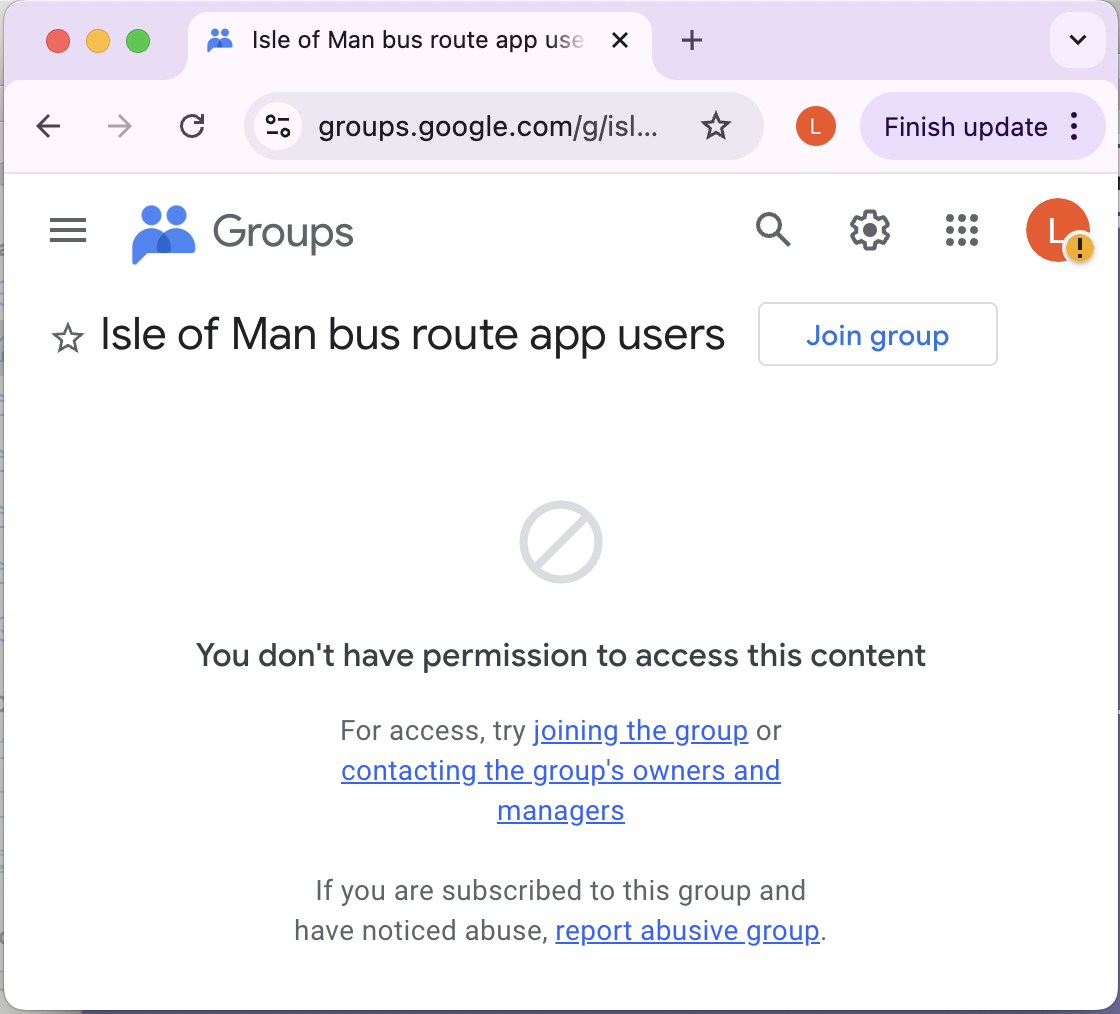
But most important, Google simply will not give you early access unless you join the group. It's easy. Just go to click here. You may see a message saying you do not have permission to access the content (see screen image) but you can ignore that. Click the 'Join group' button on the top right. If you don't see the button then you are probably not signed in to your Google account.

2. Access the App in Google Play Store
The app won't show up if you use 'search' in Play Store.
You must use the URL given below.
First make sure your phone (the Android phone on which you want to install the app) is logged
into the Google account. Make sure this is the same Google account that you used to join the Google group.
Then go here in your browser on your Android phone and
click here. If that does not work, go to this URL: https://play.google.com/store/apps/details?id=io.westbury.iom_bus_schedules